1600 Lumen Trionic LED Front Light with Battery Pack

This manual both shows how you attach the light holder and the light on a Walker (left column below) and also how you attach them on a Veloped (right column below).

In the left-hand photo, A shows the holder attachment parts for a Walker (2 screws + 2 washers). B shows the holder attachment parts for a Veloped (1 screw + 1 knurled nut + 1 nut).

1600 Lumen Trionic LED Front Light with Battery Pack

Attaching the Light Holder

Instructions for a Walker
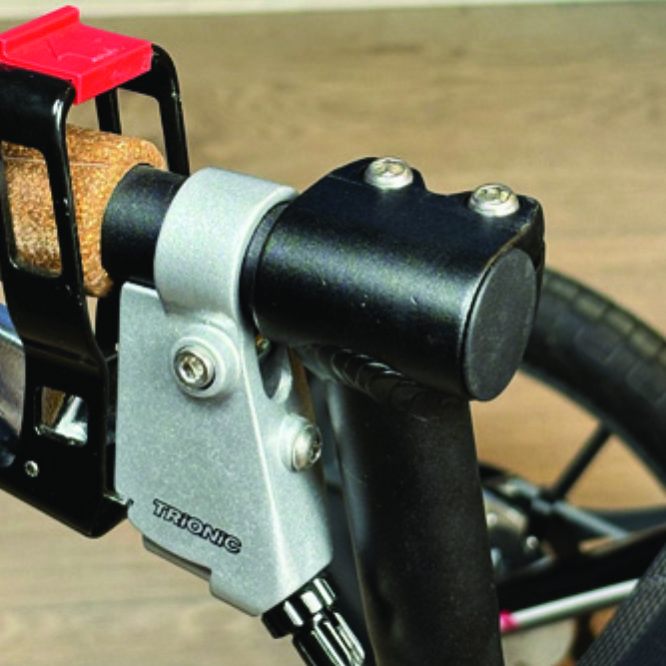
On top of the black semi-vertical tube, locate the two screws that clamp the grip tube, situated in front of the brake lever.
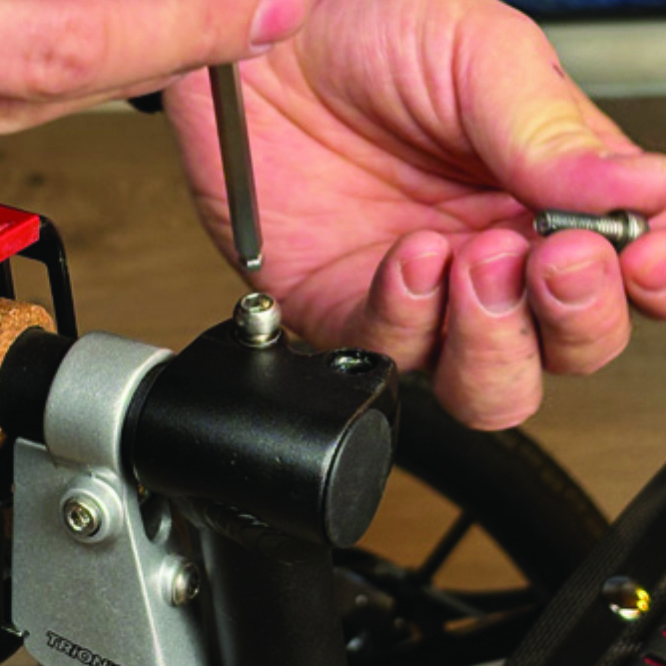
A1. On top of the black semi-vertical tube, locate the two screws that clamp the grip tube, situated in front of the brake lever.
Loosen both screws with the 5mm allen key included with the LED light.
A2. Loosen both screws with the 5mm allen key included with the LED light.
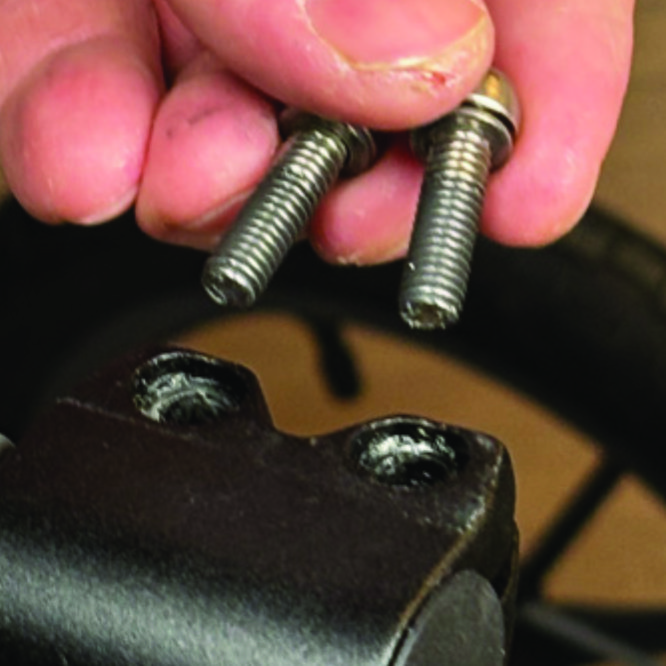
Remove the two screws from the grip clamp.
A3. Remove the two screws from the grip clamp.
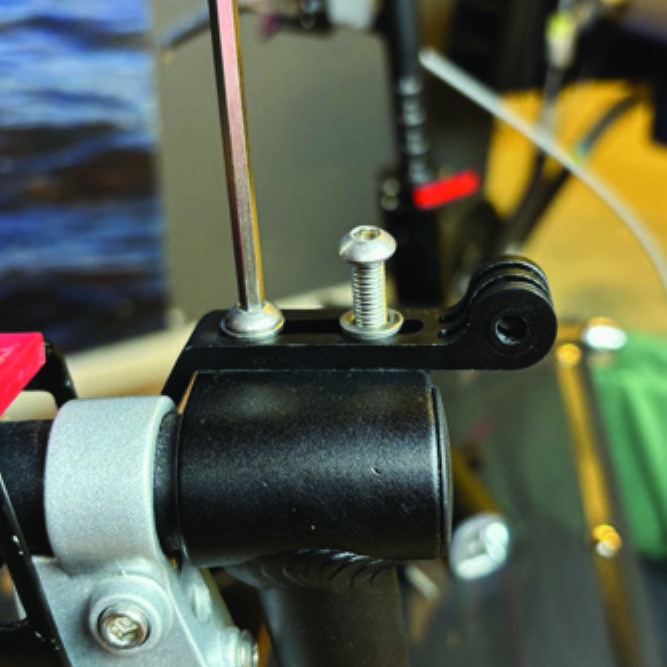
Place the light holder on top of the grip clamp, with its circular and slotted light attachment pointing forwards and upwards. Enter the two screws with washers into the holes of the clamp.
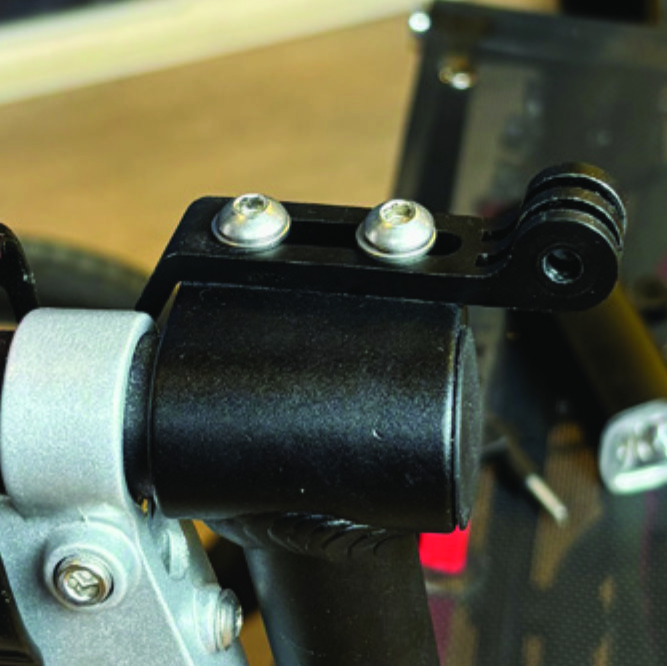
A4. Place the light holder on top of the grip clamp, with its circular and slotted light attachment pointing forwards and upwards. Enter the two screws with washers into the holes of the clamp.
Tighten the two screws with the 5mm allen key. NOTE: It is important that you tighten the screws properly as they secure the grip tube with its rubber grip and brake lever.
A5. Tighten the two screws with the 5mm allen key. NOTE: It is important that you tighten the screws properly as they secure the grip tube with its rubber grip and brake lever.

Instructions for a Veloped
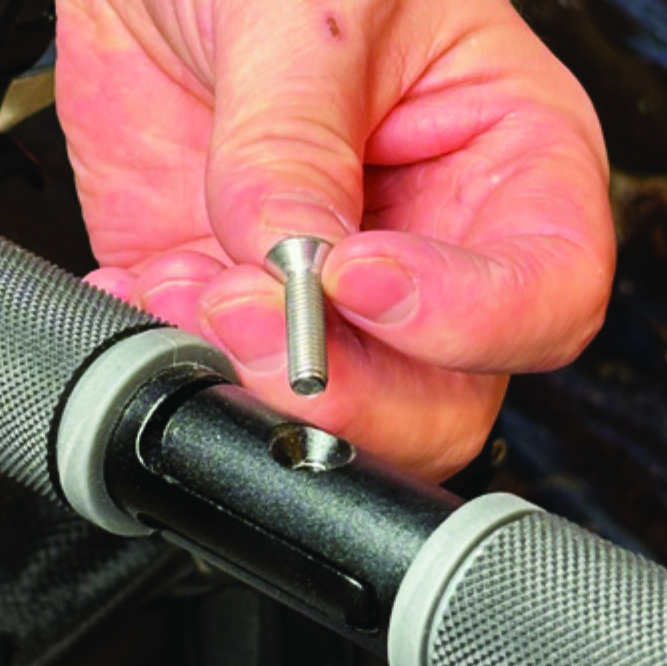
Locate the screw at the center folding hinge of the U-shaped grip bar of the Veloped. Unscrew the screw with the included 4mm allen key and remove it.
A1. Locate the screw at the center folding hinge of the U-shaped grip bar of the Veloped. Unscrew the screw with the included 4mm allen key and remove it.
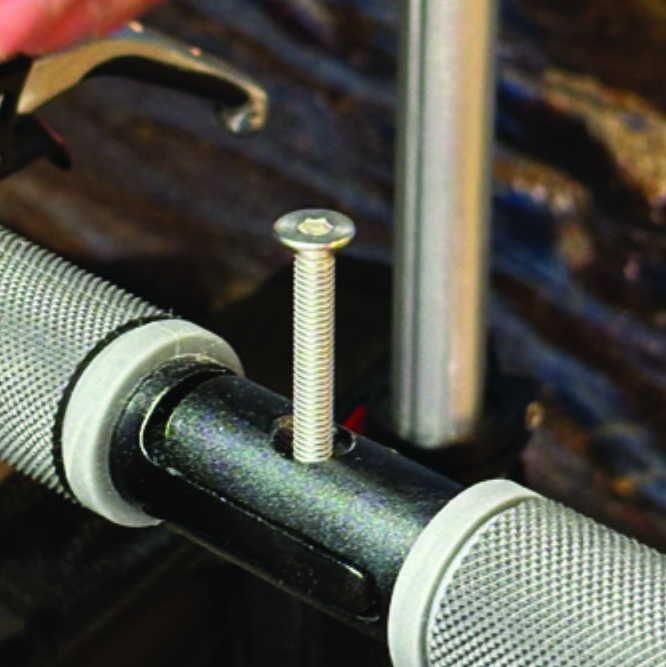
Replace the old screw with the longer screw included with the LED light. Attach the longer screw to the hinge and tighten it with the 4mm allen key.
B2. Replace the old screw with the longer screw included with the LED light. Attach the longer screw to the hinge and tighten it with the 4mm allen key.
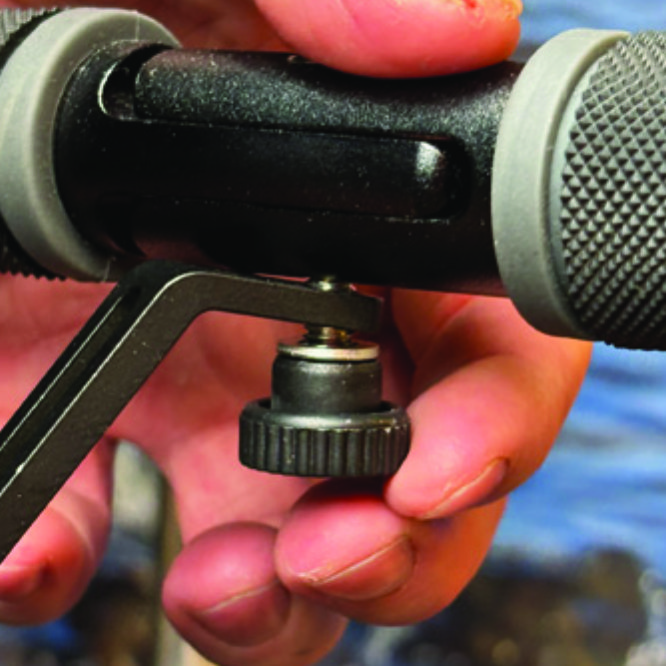
Attach the short angled end of the light holder to the lower end of the screw, on the downside of the grip bar. Fasten the holder with one washer and the knurled nut.
B3. Attach the short angled end of the light holder to the lower end of the screw, on the downside of the grip bar. Fasten the holder with one washer and the knurled nut.
For a more secure holder attachment, avoiding the holder to unintentionally turn sideways, replace the knurled nut with the included stainless steel nut and tighten it with a 10mm spanner.
B4. For a more secure holder attachment, avoiding the holder to unintentionally turn sideways, replace the knurled nut with the included stainless steel nut and tighten it with a 10mm spanner.
This photo shows the light holder as correctly attached.
B5. This photo shows the light holder as correctly attached.

Attaching the LED Light to the Holder

Instructions for a Walker
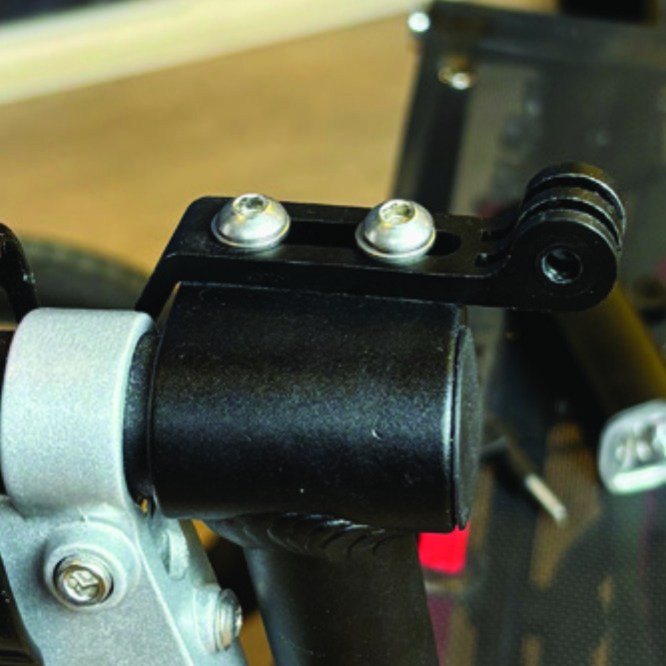
Identify the circular front end of the light holder, with two slots for attaching the light.
A6. Identify the circular front end of the light holder, with two slots for attaching the light.
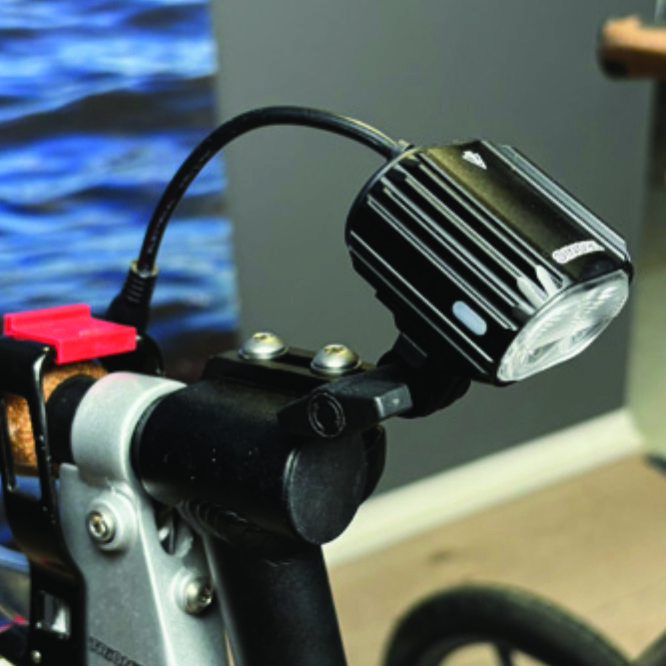
Push the slotted bracket of the light into the slots of the holder and make sure they are aligned. Seen in the traveling direction of the Walker, enter the included wingnut from the left and tighten it.
A7. Push the slotted bracket of the light into the slots of the holder and make sure they are aligned. Seen in the traveling direction of the Walker, enter the included wingnut from the left and tighten it.

Instructions for a Veloped
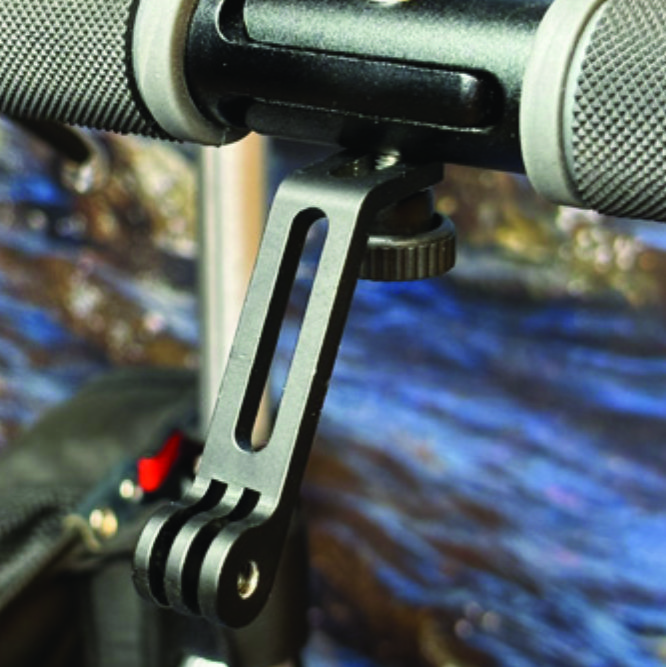
Locate the screw at the center folding hinge of the U-shaped grip bar of the Veloped. Unscrew the screw with the included 4mm allen key and remove it.
B6. Locate the screw at the center folding hinge of the U-shaped grip bar of the Veloped. Unscrew the screw with the included 4mm allen key and remove it.
Identify the circular front end of the light holder, with two slots for attaching the light.
B7. Identify the circular front end of the light holder, with two slots for attaching the light.

Placing the Battery Pack

Instructions for a Walker
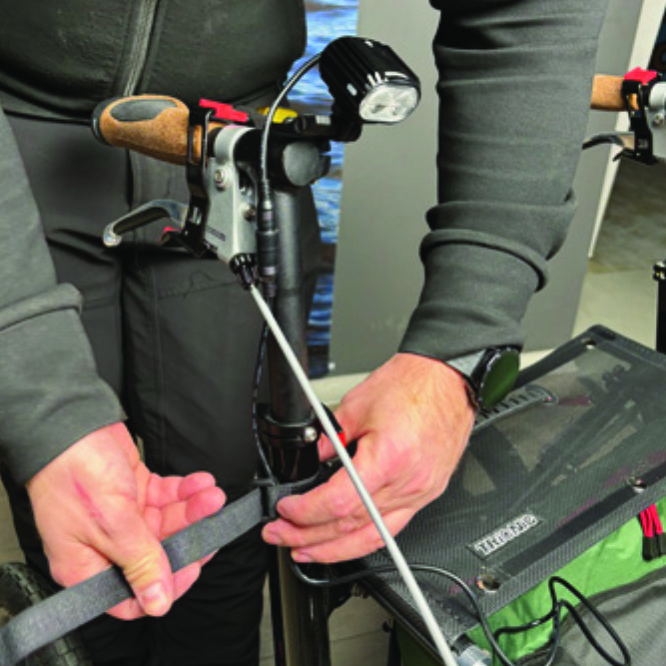
Run the longer extension cable along the semi-vertical grip tube of the Walker and secure it with the included velcro strap.
A8. Run the longer extension cable along the semi-vertical grip tube of the Walker and secure it with the included velcro strap.
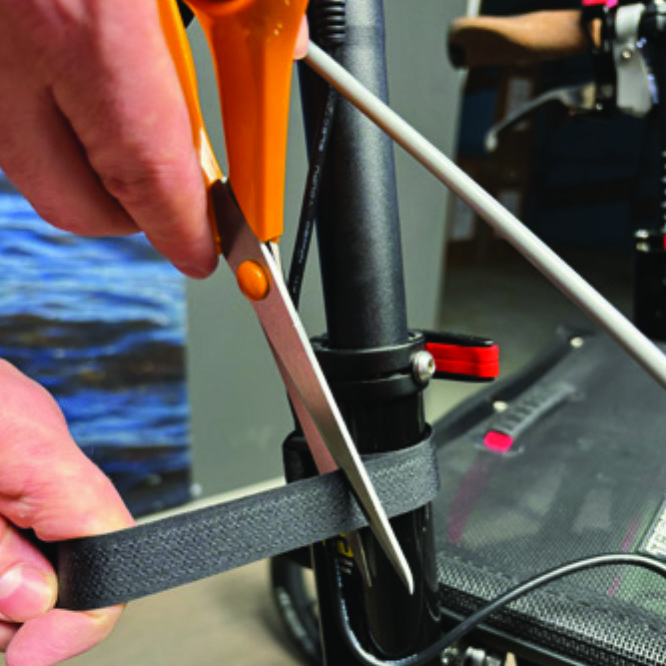
You can cut the excessive length of the velcro strap with a pair of scissors.
A9. You can cut the excessive length of the velcro strap with a pair of scissors.
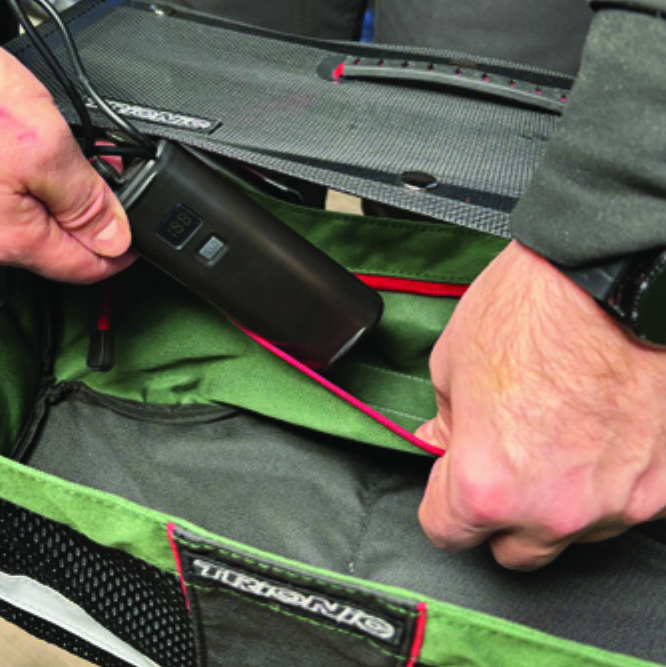
Place the battery pack in the rear zippered pocket of the basket.
A10. Place the battery pack in the rear zippered pocket of the basket.

Instructions for a Veloped
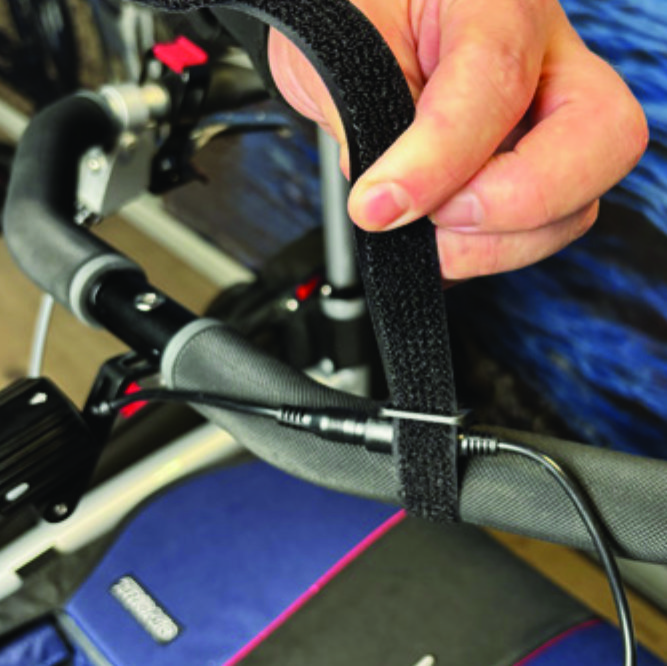
Run the longer extension cable along the U-shaped grip bar of the Veloped and secure it with the included velcro strap.
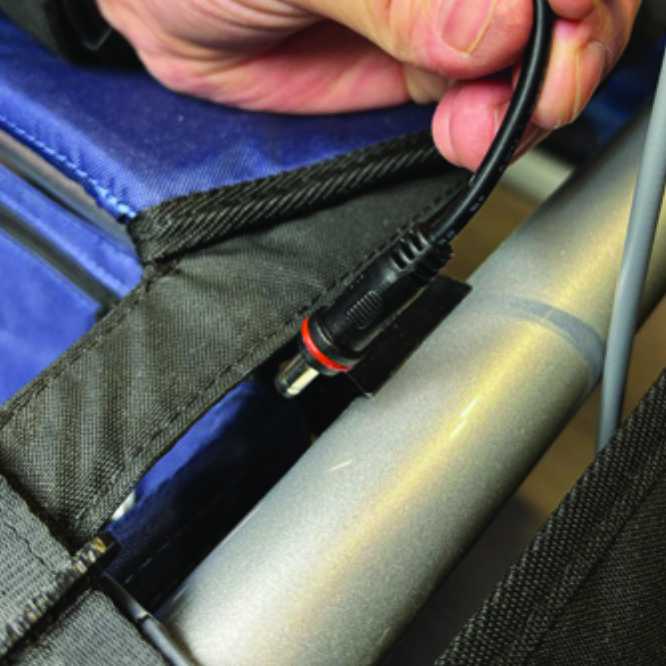
B8. Run the longer extension cable along the U-shaped grip bar of the Veloped and secure it with the included velcro strap.
You can cut the excessive length of the velcro strap with a pair of scissors.
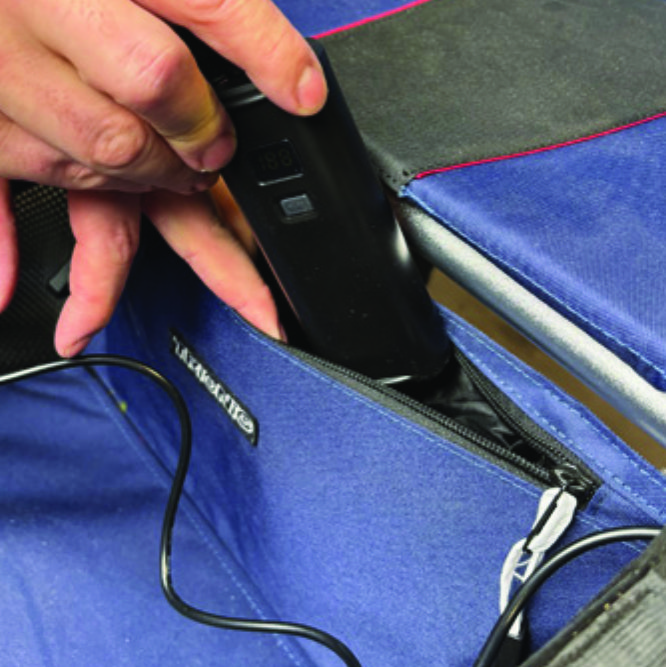
B9. You can cut the excessive length of the velcro strap with a pair of scissors.
Place the battery pack in the rear zippered pocket of the basket.
B10. Place the battery pack in the rear zippered pocket of the basket.

The package contains

The package contains

How to operate the light

How to operate the light

Product Reviews    

  • Veloped Sport…

    I have had my Veloped Sport for four months. I don't use it in normal daily life because I force myself to walk around hands-free. Due to many operations, it is difficult for me to keep my upper body upright. It is tiring and requires an extreme amou…

  • A big piece of extra freedom…

    I am very satisfied with the Veloped Trek!
    My shoulders and arms, which used to get all the shocks from every unevenness of the ground with a quite good but common rollator, could now relax. It is also very smooth, and walking is no longer so strenu…

  • Best grips ever!…

    Used crutches for twenty years all different kinds and different grips

    These Ergon BioKork grips are the comfiest, the best grip hold of any grips I’ve had.
    Even when raining my hands are wet but with the biokork I have an amazing grip of the han…

  • A life saver!…

    Firstly, the customer service has been faultless, from the advice when ordering my Trionic Veloped, to the immediate response when, after daily use for over 5 years, I needed to order a new seat and basket.

    I have little to no balance, as well as …

  • Finally one that does what it should.…

    I now own three rollators. This is my first one from Trionic. The first rollator from another company sounded like clanging metal as I walked along. It also got caught on all the broken pavements where I live and was therefore unstable. The second on…

  • Thrilled with my new friend Vince The Veloped!…

    Living with MS (comparatively mild but slowly progressing) I have poor balance, and varying degrees of leg weakness and fatigue – the Veloped is the answer to all these issues, and I couldn’t be more delighted.
    Within days of delivery (all going 10…

  • Mr Alan Clarke…

    Walking is a prime requirement for good health, even when you have a disability. The Trionic Walker 12er is allowing me to traverse walkable surfaces with ease, a situation that my previous, very good-quality walker, could not achieve.…

  • From the neighbor to your own Veloped…

    Saw it at my neighbor's house and bought it because I was impressed by every aspect. It looks great, handles well (the brakes and function)—which is difficult to grasp for someone with dementia (in our case), but otherwise the brakes work perfectly. …

  • It has been a couple of months now since I first got my Veloped Trek.…

    After a few weeks of use, my foot no longer hits the front wheel and the problem I had with navigating the unit in tight corners in the climbing mode has ceased. I suppose it was simply a matter of accustoming myself to the unit that resolved these m…

Subscribe to our newsletter!

"> ?>